

n8n Local Image to Video Example
n8n workflow: load a local image, generate a video, then poll the result.
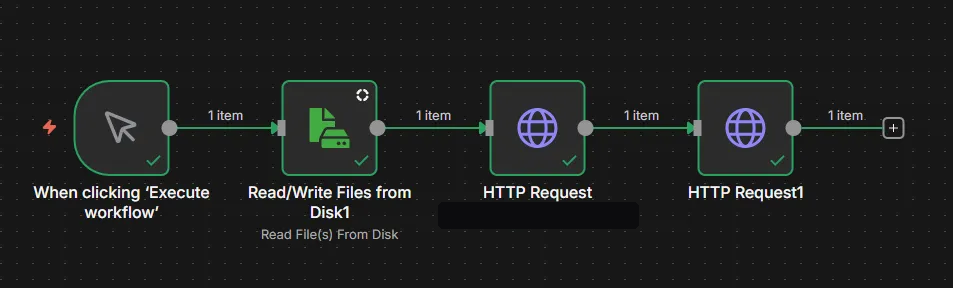
n8n workflow: load a local image, generate a video, then poll the result.
- First node: choose a trigger. Second: read a file from disk. Third: call the video generation API. Fourth: query the generated video.
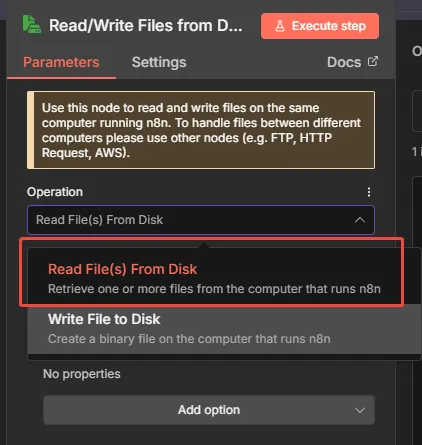
- Open the Read File node
- Select reading an image from local disk.
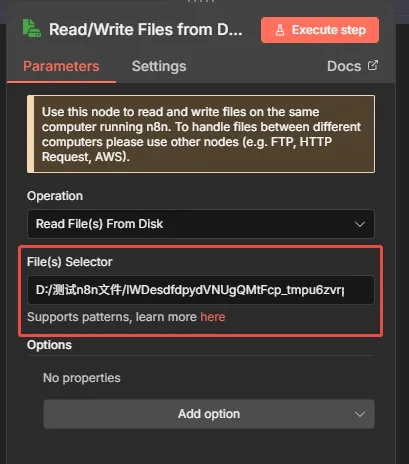
- For the file path, replace Windows backslashes
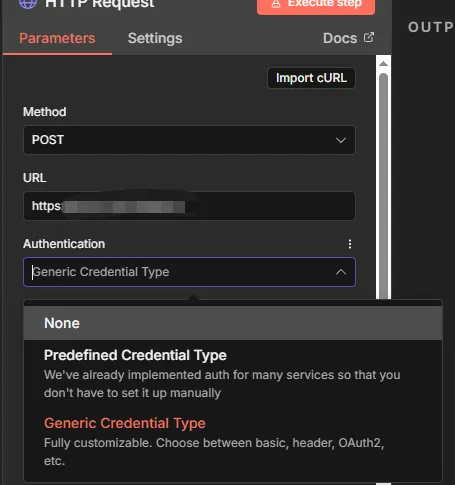
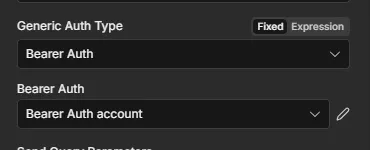
\copied from Explorer with/. - Open the first HTTP Request node Set Method from the API docs, URL to the endpoint, and Authentication to the second option.
Choose Bearer Auth.
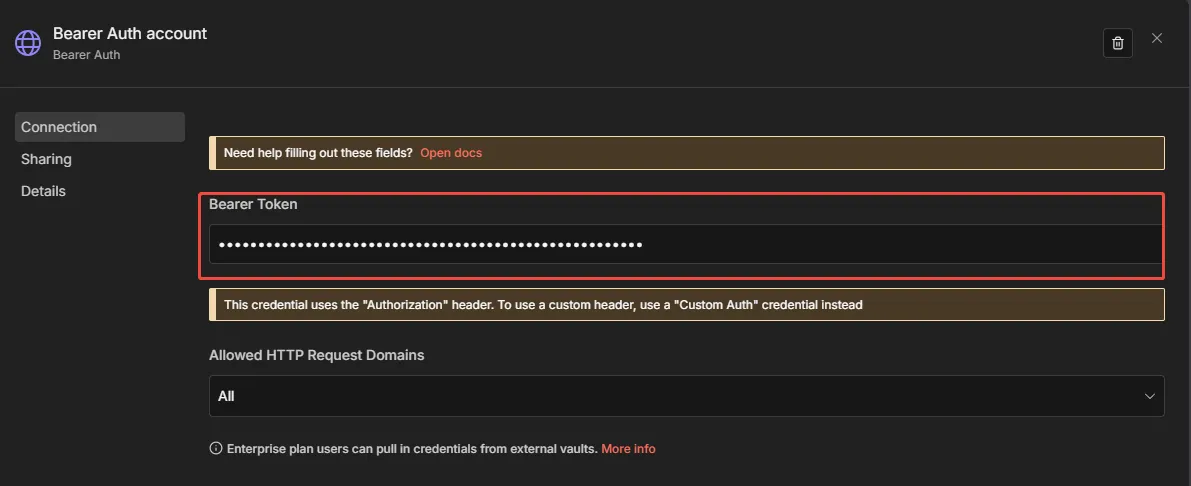
Add a credential and paste the token so all HTTP requests can reuse it.
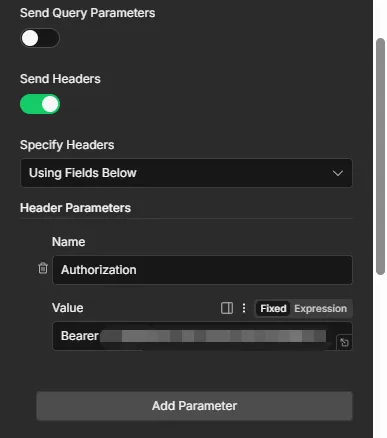
If that auth type fails, enable Send Headers and set Name=Authorization, Value=Bearer <token> (space between Bearer and the token).
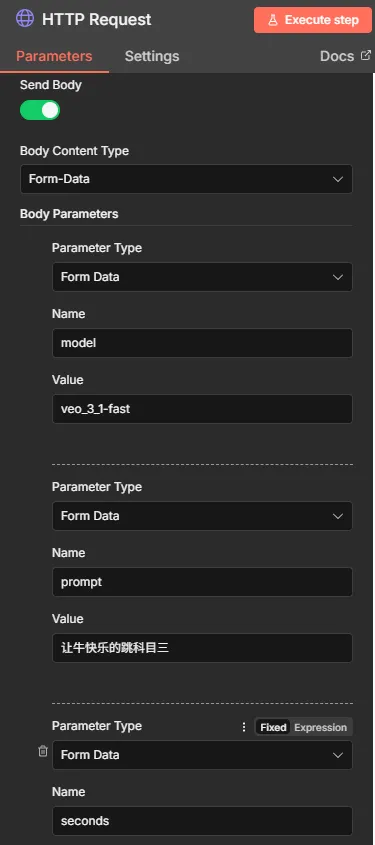
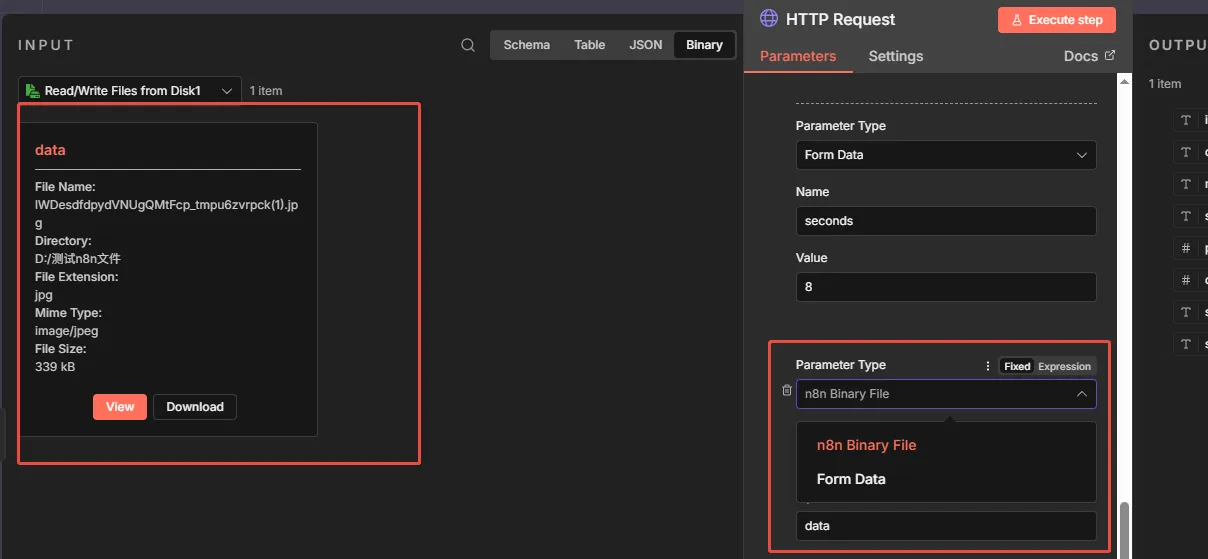
- Enable Send Body and choose Form Data for parameters from the docs.
- For the image field, choose n8n Binary File so it uses the binary from the previous node; put
datain Value to send the whole image. - Open the fourth node
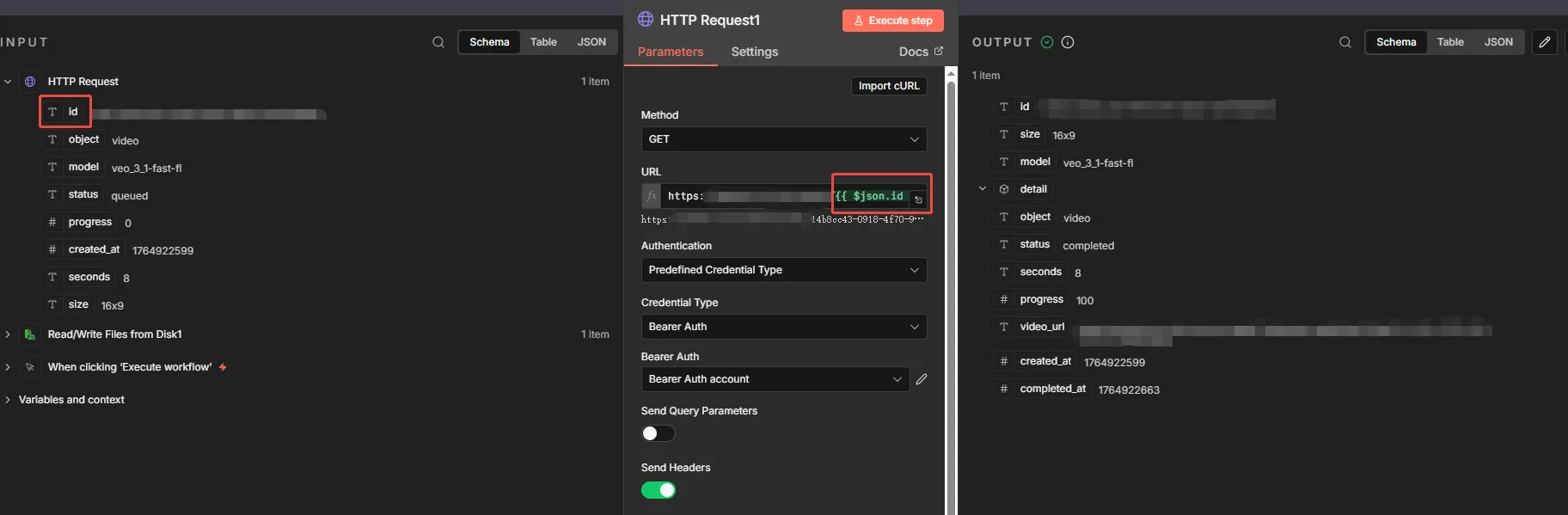
- Other settings match above. For query APIs like
https://xxxx:xxxx/xxxx/{id}, place the id from the previous response at the end of the path (type it, or drag the Tid marker shown in the red circle).