DigiSlash DigiSlash Developer docs
HomeConsoleModel hubContact
Console
Documentation
Docs overview
Guides
HTTP Status Codes
Coze Workflow with Relay APIRikkaHub SetupCodex SetupOpenClaw Clawdbot Custom Relay SetupOpenClaw Latest Custom Relay Setupn8n Workflow with Relay APIGemini CLI Relay SetupClaude Code Install & UsageCherry Studio Claude MCPCherry Studio SetupCherry Studio Banana Pro 4K & ResolutionCherry Studio o4 Reasoning LevelAdd Models in DifyCline Setupaider SetupCursor SetupLobeChat SetupChatBox (Recommended)Open-source GPT AcademicNextChat SetupZotero GPT SetupClaude Dev SetupImmersive Translate (GPT)Browser Extension ChatGPT Sidebarchatgpt-on-wechat SetupChatGPT GPT Academic Setupn8n Local Image to Video ExampleCoze Workflow: Input to URLOpenCode SetupOpenClaw with CC Switch Custom Relay
AI Response Fields: ThinkingImage Host API
API
Need a hand?Contact the DigiSlash team
Docs Guides
Guide

RikkaHub Setup

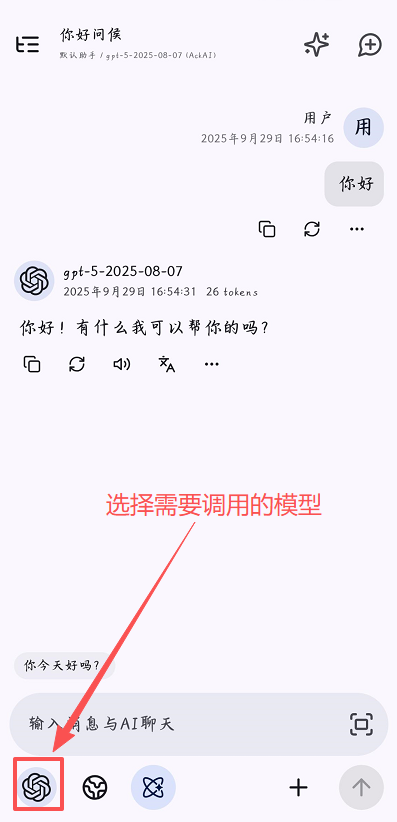
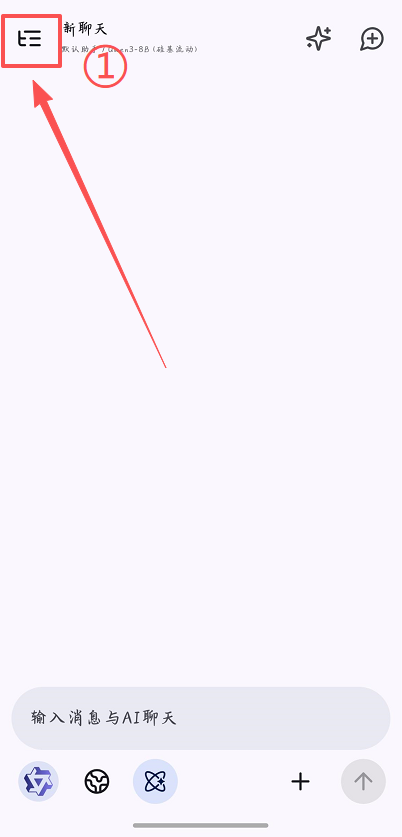
Currently Android only.
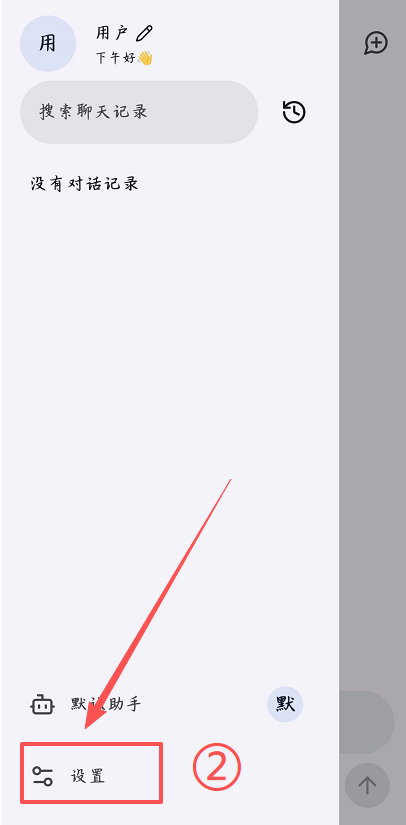
111111.png

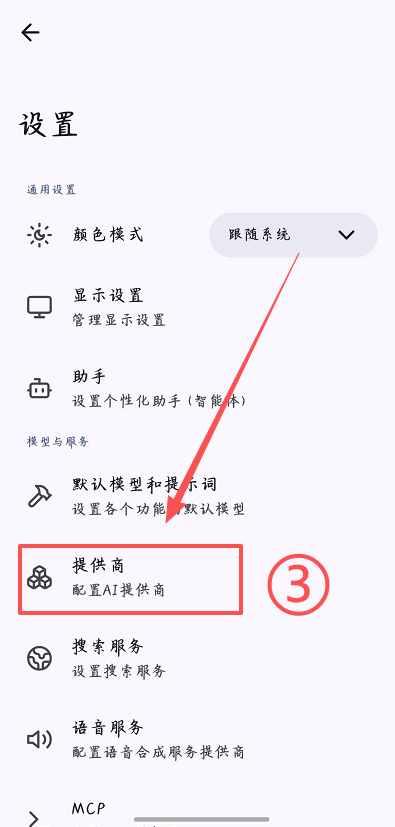
2222.png

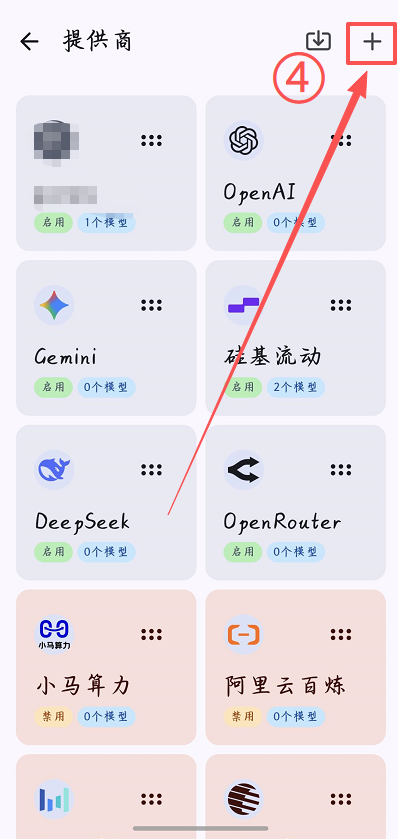
333.png

44.png

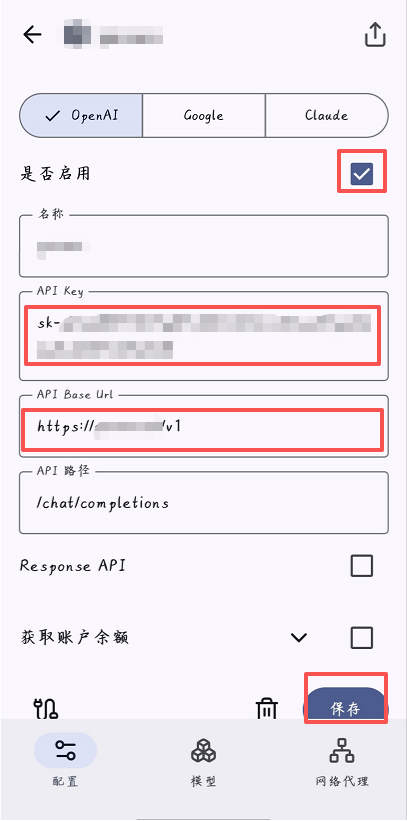
5.png

Currently Android only. Official download: https://rikka-ai.com/

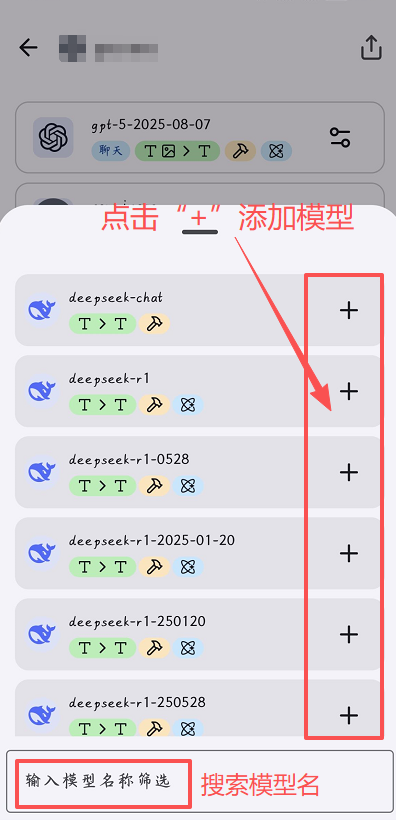
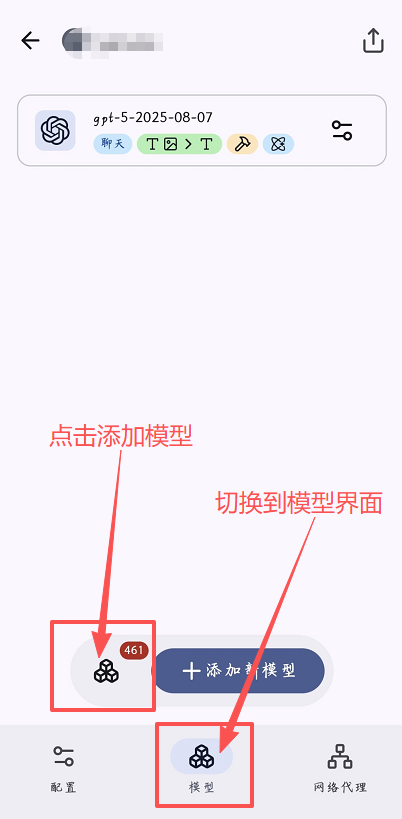
Base URL: https://api.digislash.com/v1

API key: your own key
6.png

7.png

8.png

On this page
Base URL: [https://api.digislash.com/v1](https://api.digislash.com/v1)API key: your own key
DigiSlash DigiSlashDeveloper docs for clear model access.
Contact support